TSL Is the Best Part of Three.js. A Custom Pipeline Leaves the Rest Behind.
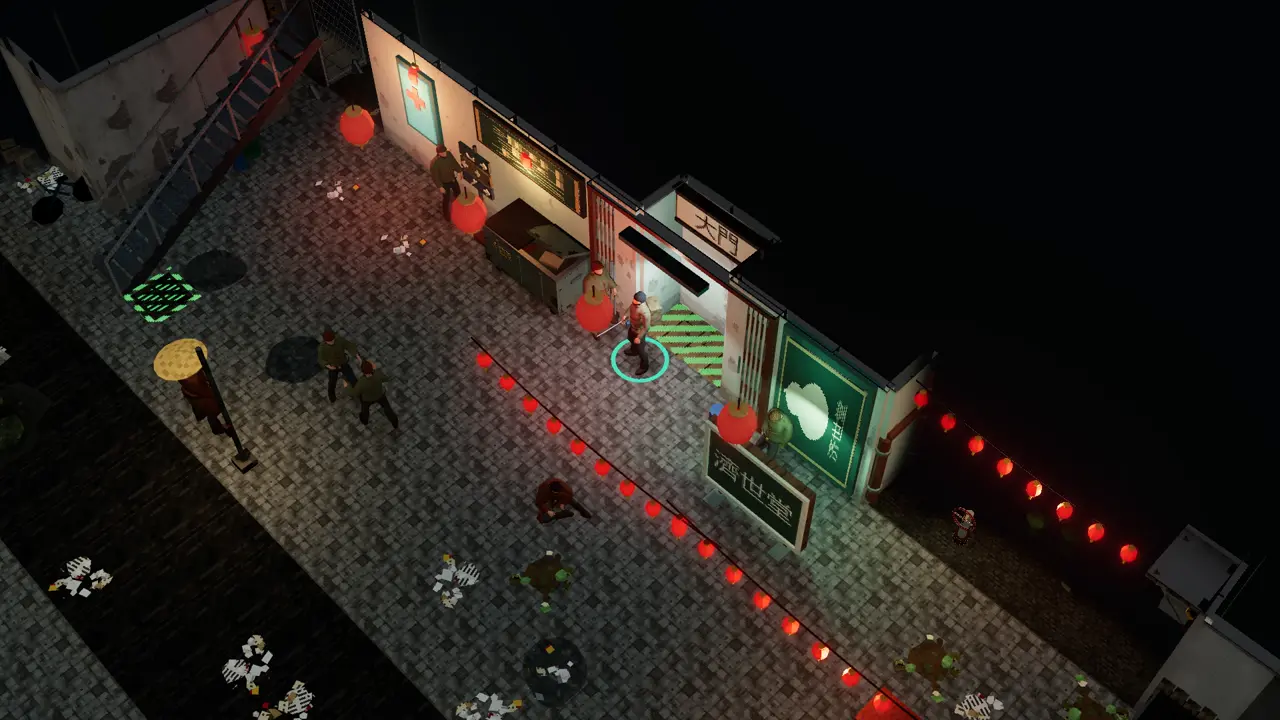
Nine Springs is a turn-based CRPG set in a sealed underground city, built on Three.js r186 with WebGPURenderer. The Walled City alone has over 600 lanterns, and fog of war, wet floors and reflections all sit on top of that lighting. The renderer is 72 TypeScript files and about 17,700 lines, much of it written with AI coding agents. None of those files contains a shader string.
Two conclusions came out of building it. TSL is an excellent fit for AI-assisted graphics work. The scene graph and material system are not a good base for a custom pipeline.
TSL: one language for shaders and game code
TSL (Three Shading Language) describes shaders as TypeScript. Ordinary function calls build a node graph, and Three compiles that graph to WGSL for WebGPU or GLSL for WebGL 2. One source covers both backends.
A classic shader is a string in a second language. It connects to the program through names that both sides must agree on, and no tool checks that agreement. An AI agent has to keep the two sides in sync by hand, and mistakes surface at runtime.
TSL removes that boundary. A shader input is an exported value:
// Shared by the game code and the shader
export const liquidSky = uniform(new THREE.Color());

// Game code: set it like any other object
liquidSky.value.copy(skyColor);

// Shader code: use it like any other value
const body = mix(murk, liquidSky, 0.75);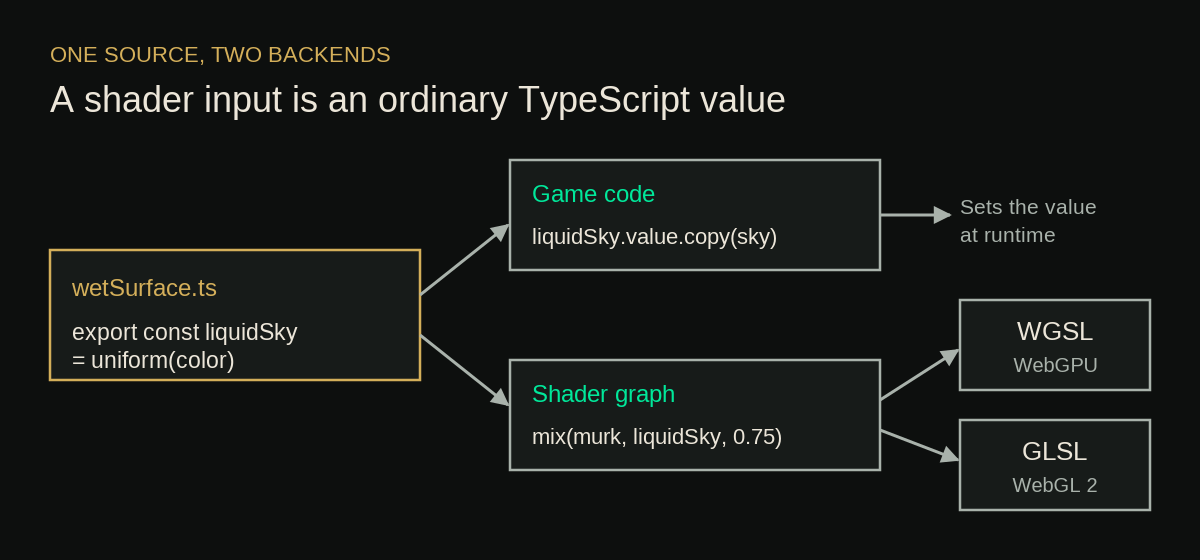
This changes what an agent can do in practice:
- Navigation works across the boundary. Imports, constants and “go to definition” lead from gameplay code straight into a shader.
- The compiler checks the connection. A misspelled input fails type checking before anything runs.
- Refactoring is normal. Renaming a uniform is an ordinary rename.
- Review is normal. A shader change is a TypeScript diff.
The render pipeline becomes regular code too. This is a trimmed version of how the final image is composed in Nine Springs:
let lit = ao.apply(color);
if (giMode === 'probes') lit = probes.apply(lit);
if (ssr) lit = reflections.apply(lit, uv, mark);
lit = fogOfWar.apply(lit);
pipeline.outputNode = uiOverlay.output(
  edgeGlow.add(bloom ? glow.apply(lit) : lit),
);
Those ifs are plain TypeScript choosing which passes exist. Each apply returns a node for the next step, so adding or reordering a pass is a small function-level edit.
TSL has sharp edges of its own:
- Two execution times. JavaScript runs while the graph is built, and the shader runs later on the GPU. A plain
ifand TSL’sIflook alike and behave very differently. Agents and people both confuse them. Loopscoping. In one case, a variable first declared inside a loop body read an overridden position, and the light came out as zero.- Incomplete types. Deep internals such as
ClusteredLightsNodearen’t typed, so advanced code collectsas unknown ascasts.
Material management: recompiles hide in ordinary code
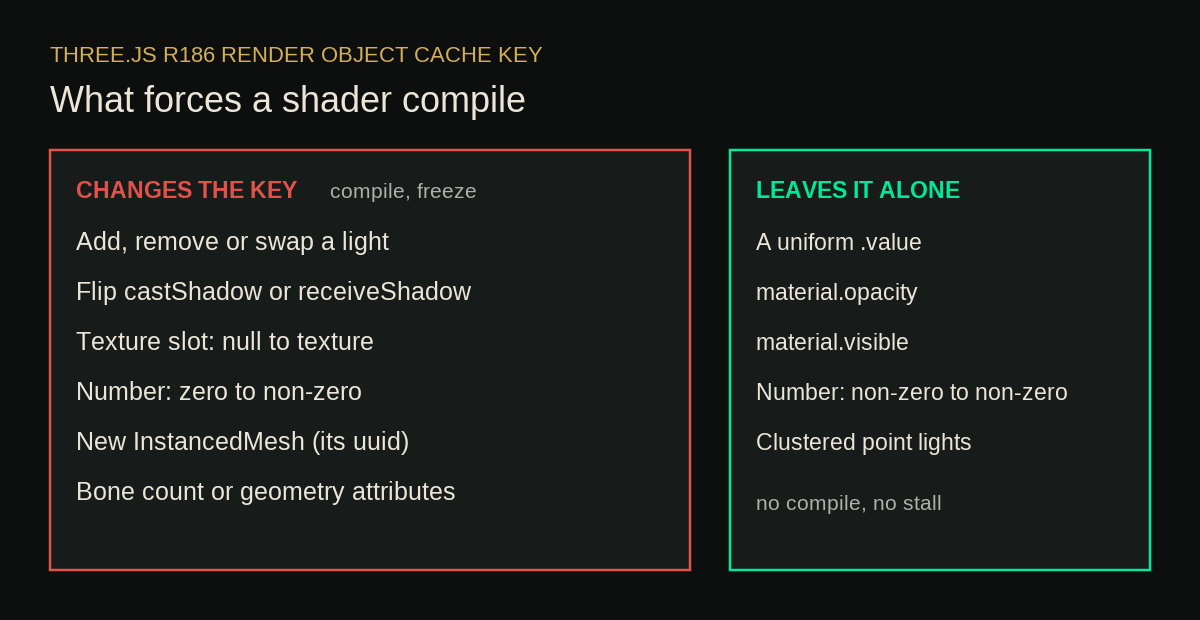
WebGPURenderer builds a cache key for every object it draws, and the key selects the compiled shader and pipeline. When the key changes, a compile follows. On a large scene, that can freeze the game for seconds.
In r186 the key combines the material’s properties, the geometry’s attributes, the object and the lights. Reading RenderObject.js and LightsNode.js shows how easily it changes:
- Each light contributes its
idandcastShadow, so adding, removing or swapping one changes the key of every lit material. - Numeric material properties are reduced to zero or non-zero, so moving a value off zero changes the key while 0.5 to 0.8 doesn’t.
- A texture slot going from
nullto a texture changes the key. object.receiveShadowis in the key.- Every
InstancedMeshadds its ownuuid, so a new one compiles a new pipeline even with an identical material. The source marks this with a TODO.
Nine Springs hit these in real play:
- Molotovs. Creating a light per fire froze the game for 3 to 4 seconds whenever one landed. The fix is a fixed pool of four lights that stay in the scene at intensity 0 and are lent to the largest fires.
- Liquid surfaces. Disposing a shared material forced a recompile at the next surface change, which froze the game for seconds. Shared materials now stay alive.
- Particles. New instanced meshes compiled new vertex shaders mid-game. The particle system now creates nothing at runtime, and effects rent ranges inside persistent batches.
Three’s behavior is logical. Shaders do depend on these inputs, and compiled results are cached. The cost is that the system is implicit: nothing warns that a line of game code just invalidated half the scene, and the first signal is a frozen frame.
The working rule is to change uniforms at runtime and never structure. In practice, that means:
- Render targets are always written, even with the feature off.
- The shadow atlas is always read, and turning it off flips a uniform.
- A loading screen runs real frames until five in a row come in under 60 ms.
- Fogged and off-screen units are drawn during those frames, so their shaders compile before play starts.
All of this exists to keep a general-purpose system from doing what it was designed to do.
A custom pipeline mostly moves away from Three
Each step of the Nine Springs renderer took work away from the scene graph and the default pipeline.
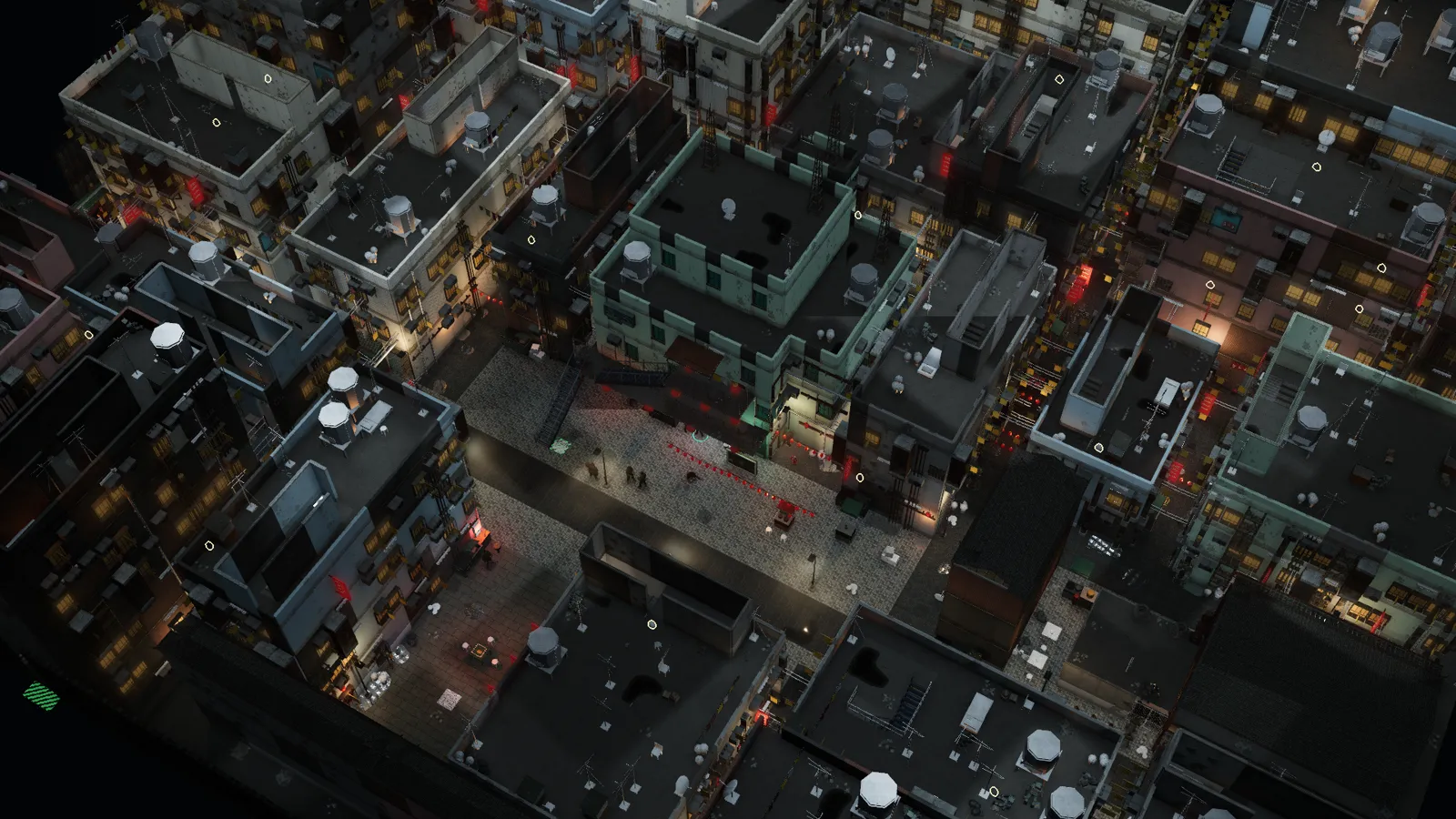
Lights. The standard path builds lights into the shader, and it froze trying to build one for 641 lights. Three’s Forward+ ClusteredLighting addon splits the view into 32 px tiles and 24 depth slices, and a compute pass lists the lights reaching each cluster. A subclass adds shadows. The Walled City now runs at a median frame of 8.8 ms, with 2.9 ms on the GPU. Even so, Three was still walking, sorting and uploading all 637 lamps of the Market Square every frame, so lamps that are off now leave the scene graph entirely.
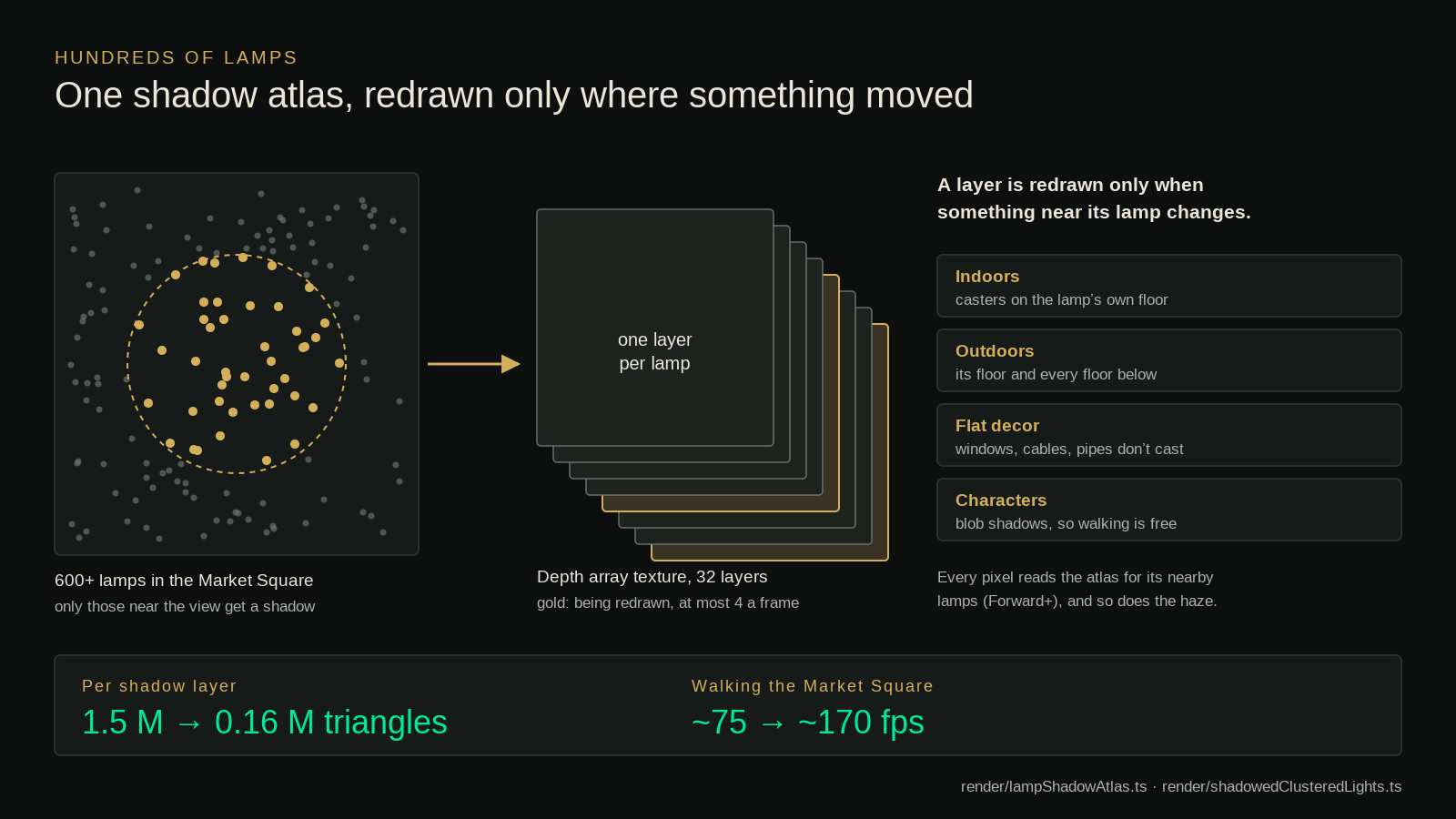
Shadows. One shadow map per light runs into the sampler limit, which is 16 per shader stage by default. A single depth array texture replaced them, with 32 layers read by hand through textureLoad, so it uses no samplers. A layer redraws only when something near its lamp changes, and a custom render-object function filters what gets drawn. Walking the Market Square went from about 75 fps to about 170 fps.
Global illumination. Three’s screen-space GI cost 1.7 to 2.5 ms of GPU time per frame in the Jishi Hall. Light probes baked on the CPU at map load cost 0.1 to 0.4 ms.
Outlines. Each render(scene) walked the whole scene graph on the CPU, even when only a few meshes were drawn. One mask render now swaps the scene’s children for just the outlined meshes.
Compositing. The scene pass writes five targets, and everything after it is a TSL graph that reads them.
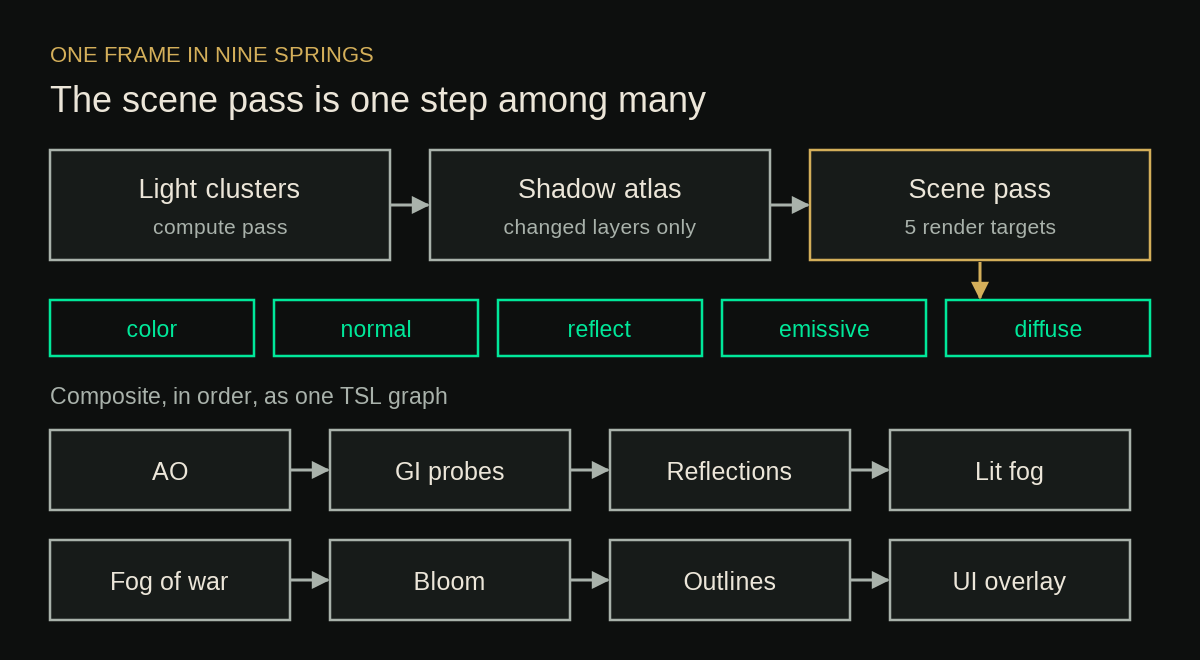
The pattern repeats. Each step replaces something implicit in the scene graph or material system with explicit data the game owns: a light pool, a texture array, a persistent batch, a per-cell field. renderer.render(scene, camera) gradually becomes “draw this short list that’s already prepared.”
So in Three.js, a custom pipeline mostly means routing around the scene graph, one system at a time.
What’s worth keeping
Three still earns its place. It provides the WebGPU backend, the WebGL fallback and the loaders, and advanced pieces like ClusteredLighting and BloomNode are good starting points.
The value has moved, though. TSL and the node compiler are the parts worth building on, because shaders and game code share one language, and that’s what makes AI agents effective at graphics work. The scene graph and material management work best as a prototype layer, useful until the frame budget or the first multi-second freeze shows which part to own next.